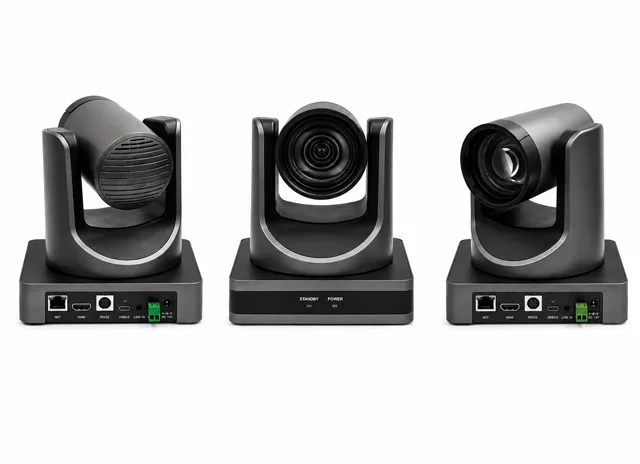
PTZ Camera
A 4K pan-tilt-zoom camera that tracks the teacher automatically and can be driven manually when needed, keeping the shot framed for the room and for every recording.
Revolutionizing Education for a Brighter Tomorrow
Running a classroom today means teaching, recording, and often streaming, all inside the same period. Our Smart Class Studio Setup builds on the interactive flat panel a teacher already writes on, adding an auto-tracking camera and room-covering audio around it, so every lesson comes out recorded in broadcast quality without asking anyone to change how they teach. Built for schools, colleges, and coaching centres that want a growing library of lecture recordings without hiring a camera operator to make it happen.
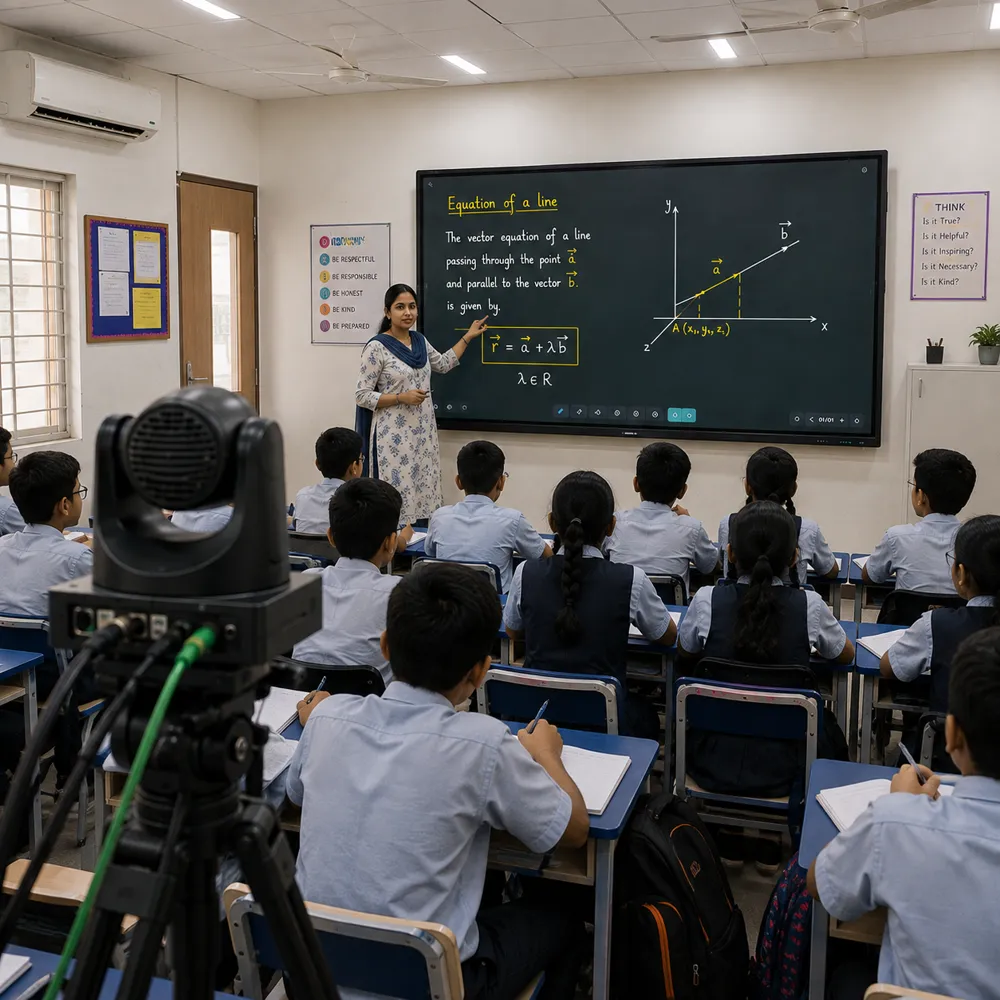
At its core, a Smart Class Studio replaces the chalkboard with an interactive flat panel, adds a 4K camera that tracks the teacher around the room, and wires in a noise-cancelling microphone so lesson audio stays clear on the recording and for anyone joining remotely. None of it asks the teacher to change their routine — walk in, start the class, and tracking, capture, and streaming all run in the background. It's built for schools, colleges, and coaching centres that want every lecture to leave behind a searchable recording, whether that's for revision before exams or for a student who couldn't make it to class that day.
A Smart Class Studio bundles an interactive flat panel, auto-tracking PTZ camera, classroom microphone, lighting, and a one-touch control panel into a single classroom-ready kit. Instead of stitching together a camera, a mic, and separate recording software, the whole setup is pre-configured to work as one system — start the class once, and the lesson, the panel annotations, and the room audio are all captured together, ready to publish to an LMS or cloud library.
Schools and coaching centres running daily board-style lessons, colleges and universities building out an LMS lecture library, and corporate training rooms that want the same one-touch capture for internal courses all use this setup. Because the layout is identical room to room, it is also the easiest studio to roll out consistently across a multi-classroom campus.
Nothing changes about how a teacher already presents — the panel still works like a whiteboard. What changes is what happens after class: a growing, searchable archive of lessons, same-day access for students who joined remotely, and a design that scales the same way whether you're fitting one classroom or twenty. Every installation ships with a 1-year warranty, AMC, remote diagnostics, and on-site service through our pan-India network.
Every Smart Class Studio Setup includes these accessories, matched to one another and configured before they reach your classroom: the interactive flat panel a teacher writes on, the classroom PTZ camera that follows them, and the audio, lighting and touch control that make every lesson easy to record and stream.
A 4K pan-tilt-zoom camera that tracks the teacher automatically and can be driven manually when needed, keeping the shot framed for the room and for every recording.
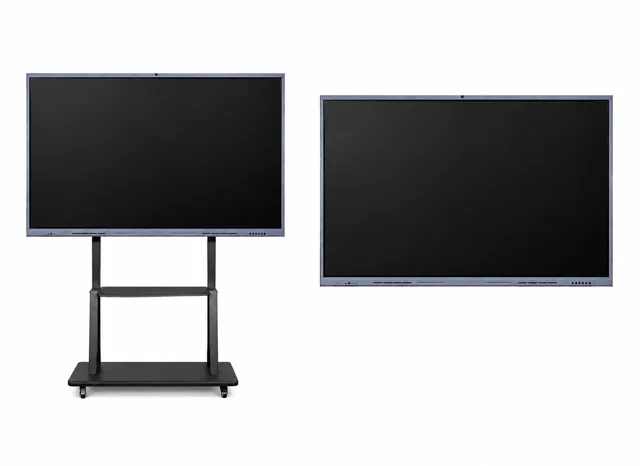
A 65″–86″ Windows 11 touch panel on a mobile trolley, so it works as the classroom whiteboard and can move between rooms as the timetable requires.
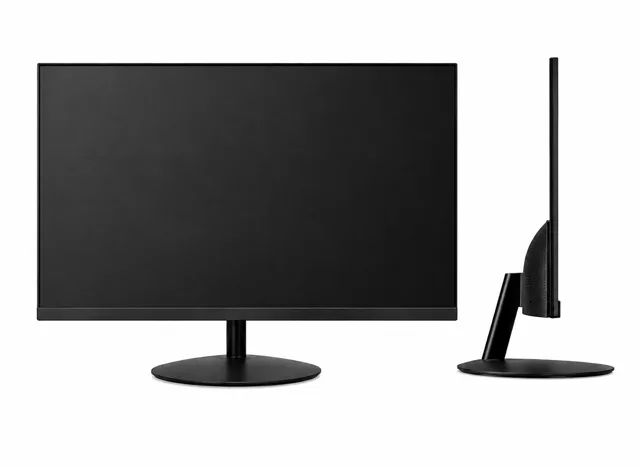
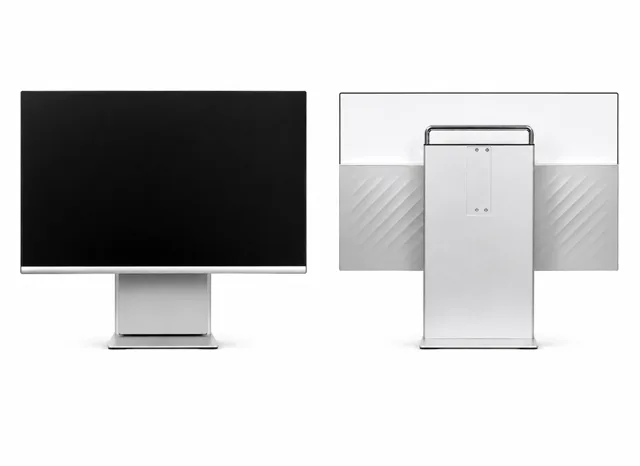
A 24-inch FHD monitor at the teacher's desk for keeping track of the live recording without turning away from the class.
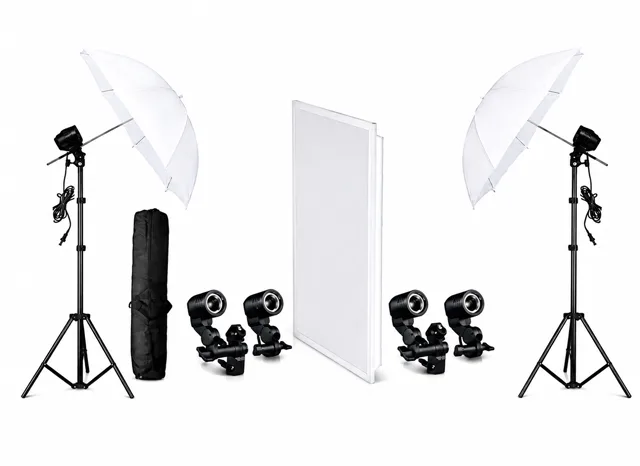
An adjustable LED rig that keeps the teaching area evenly lit, so recordings stay clear regardless of the room's natural light.
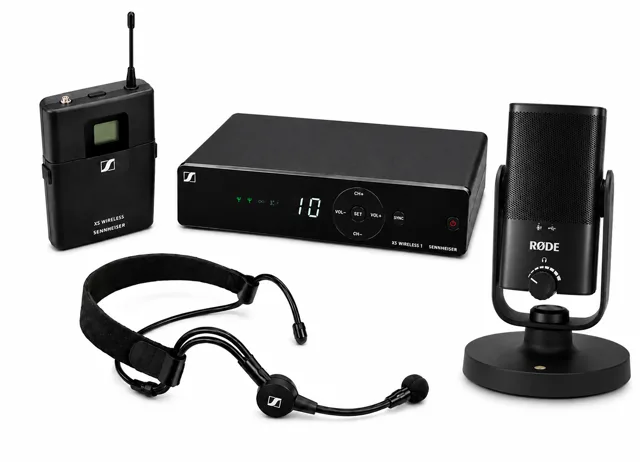
A Sennheiser or DGtech mic system with noise cancellation, built to carry the teacher's voice cleanly to the room, the recording, and remote listeners.
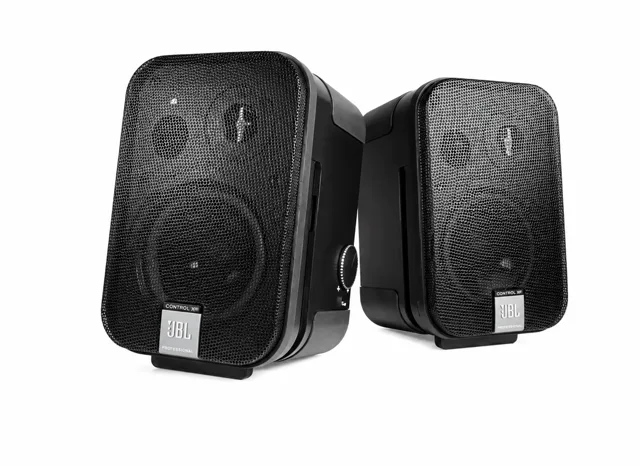
Ceiling or wall-mounted speakers spread audio evenly across the room, so volume stays consistent from the front row to the back.
A touchscreen control panel that starts recording, streaming, and lighting presets with a single tap, so the teacher never has to step away from the podium.
Multi-touch annotation and built-in teaching tools turn a passive lecture into one students can actually interact with.
The tracking camera and mic cover the full room, so a student joining from home sees and hears the same lesson as the one in the third row.
The same setup works for a school classroom, a college lecture hall, a coaching centre, or a corporate training room.
Fit one room or twenty with an identical layout, and add capability later as your institution's needs grow.
Streaming and recording run automatically in the background, building a lecture archive students can revisit before exams.
Classrooms go live in 3–5 days, backed by a 1-year warranty, AMC, and on-site service wherever you're located.
From daily school lessons to college lecture halls, a Smart Class Studio fits anywhere a class needs to be taught live and left behind as a recording.
How a classroom goes from site visit to a fully working studio
We assess your space and requirements
We design the right setup for your workflow
We select and deliver the right gear
Cabling, setup, and software configuration
Your team learns to operate the studio
AMC, remote assistance, on-site service
A Windows 11 interactive panel stands in for the whiteboard, with sharp visuals and multi-touch annotation the teacher writes straight onto.
A 4K camera follows the teacher around the room automatically, panning and zooming to keep the lesson framed without anyone operating it by hand.
A noise-cancelling mic system picks up the teacher's voice clearly across the whole room, for the recording and for anyone listening remotely — no handheld mic changing hands between classes.
A second monitor at the teacher's desk shows what's being recorded, so the main panel stays free for the class while the teacher keeps an eye on the session.
One tap starts capturing video, audio, and on-screen annotation together, and pushes the finished recording straight to the LMS or cloud storage.
Every recorded class feeds into a searchable library inside the LMS your institution already runs, so revision material builds itself.
Common questions about setting up a Smart Class Studio — interactive panels, lecture recording, and classroom installation. Don't see your question here? Get in touch directly.
It's an interactive teaching space built around three things: an interactive flat panel the teacher writes on like a whiteboard, an auto-tracking PTZ camera that follows them around the room, and a microphone system that picks up the lesson clearly. Together they let a class be taught live and recorded at the same time — no separate camera operator, and no change to how the teacher already presents.
Most Smart Class Studios go into classrooms of roughly 25–60 m², seating 30–80 students. Exact panel size, camera position, and audio coverage get confirmed during a free site survey, so the setup matches your actual room rather than a generic template.
Yes, both run from the same session with no extra operator. Remote students watch the class live, while the recording saves automatically afterward for anyone catching up later.
A short hands-on walkthrough — covering the panel, one-touch recording, and bringing remote students into the session — is usually enough; most teachers are comfortable within a class or two. The panel is designed to behave like a normal whiteboard, so day-to-day teaching does not change.
Yes — recordings publish straight to your existing LMS or cloud storage, so the lecture library fills itself as classes happen instead of needing manual uploads afterward.
A single classroom typically takes 3–5 days — mounting, cabling, and configuration — scheduled around your timetable to minimise disruption. We've installed 180+ of these classrooms across India, including campus-wide rollouts using the same repeatable design.
It depends on the room size, seating, and which equipment tier you pick — panel, camera, audio, and control system all scale with the space. We give a firm quote after a free site survey, so you're only paying for what the room actually needs.
Every installation comes with a 1-year warranty and AMC options that include remote diagnostics and on-site service through our pan-India network, keeping the panel, camera, audio, and control system running through the school year.
An online teaching setup needs an interactive flat panel to teach on, a camera that keeps the teacher in frame, a microphone that carries the voice clearly, and one-touch controls to start recording or streaming. A Smart Class Studio bundles all of it — a 65″–86″ Windows 11 interactive flat panel, a 4K auto-tracking PTZ camera, a noise-cancelling Sennheiser or DGtech mic, LED lighting, a desk monitor, speakers and a touchscreen control panel — configured to work as one system, so a teacher can walk in and start.
If you teach live to remote students or record lessons for them, yes: you teach on the panel like a whiteboard while the camera and microphone capture the lesson for a live stream or a recording, with no camera operator. If some of your students also sit in the room with you, look at the Hybrid Studio, which is built for in-person and online learners in the same session.
An interactive flat panel — the smart board — is the display a teacher writes on. A Smart Class Studio builds a complete interactive classroom setup around it: an auto-tracking classroom PTZ camera, room-covering audio, lighting and one-touch recording, so the lesson is captured and streamed too, not just displayed. If you only need the panel, the Interactive Flat Panel page lists every size and its specifications.
It is a 4K pan-tilt-zoom camera that follows the teacher around the room automatically, panning and zooming to keep the lesson framed without anyone operating it, and it can be driven manually when needed. The same camera feeds the recording and any live stream, which is what makes a digital classroom setup practical for live streaming for education.
Recording a class as it happens, the teacher’s video, voice and on-screen writing together, so students can watch it later. A Smart Class Studio is built to do this without a camera operator.
Schools, colleges and universities, coaching centres and corporate training rooms: any room where a class is taught live and should be left behind as a recording.
An interactive flat panel and trolley, a PTZ camera, a desk monitor, lighting, a microphone system, speakers and an All-in-One PC touch control panel, installed, configured and supported by SNL.
Both: SNL surveys the room, designs the setup, supplies and installs the equipment, trains your team and supports it afterwards, so you receive a working studio rather than loose equipment.
No. The panel works like a whiteboard, and recording starts with one tap on the control panel, so the teacher teaches as usual.
A smart classroom is any room with digital teaching tools. A Smart Class Studio is a complete, matched kit that adds recording and streaming to the interactive panel, so every lesson can be kept and shared.
The position is decided in the site survey from the room layout, the teaching position and where students sit, so the camera sees the teacher and the board without blocking anyone.
The kit includes an adjustable LED rig that keeps the teaching area evenly lit, so recordings stay clear whatever the natural light in the room.
The microphone system is noise-cancelling and the speakers spread audio evenly. Heavy echo or outside noise can be assessed in the survey; acoustic wall panelling is part of the Hybrid Studio and can be discussed for other rooms.
Proper wiring, a power supply and a network connection near the panel and the control PC. The survey checks them so installation can go ahead on the scheduled date.
Yes. It sits on a mobile trolley stand, so it can move between rooms as the timetable requires. Fixed wall mounting can be discussed for a dedicated room.
Yes. The layout is identical room to room, which makes a campus-wide rollout consistent and easier to support.
A 65 to 86 inch interactive flat panel on a mobile trolley that serves as the whiteboard. The studio pages describe it as Windows 11; the SNL Interactive Flat Panel datasheet lists Android 14 with an optional OPS module for Windows, so confirm the exact configuration at the survey.
It is the 4K pan-tilt-zoom camera that frames the teaching area for the recording and any live stream. The studio page describes it as tracking the teacher; the SNL PTZ Camera specification sheet lists pan, tilt, zoom and 255 presets rather than auto-tracking, so confirm what your configuration includes at the survey.
A 24-inch Full HD monitor at the teacher’s desk showing what is being recorded, so the main panel stays free for the class.
An adjustable LED rig that lights the teaching area evenly and keeps recordings clear regardless of the room’s natural light.
A Sennheiser or DGtech microphone system with noise cancellation, built to carry the teacher’s voice cleanly to the room, the recording and remote listeners.
Ceiling or wall-mounted speakers spread audio evenly across the room, so volume stays consistent from the front row to the back.
It is the touchscreen control panel that starts recording, streaming and lighting presets with a single tap. See the SNL All-in-One PC page for its specification.
Yes. The setup is designed to scale, so you can add capability, such as another microphone or camera angle, as your needs grow.
The control panel is preloaded with recording and streaming tools such as OBS Studio and vMix and with Zoom and Google Meet, according to the Studio Setup page, so the room is ready when installation finishes.
Yes. The camera and microphones cover the whole room, so a student joining from home sees and hears the same lesson as the one in the third row.
They publish to your LMS or cloud storage, so the lecture library fills itself as classes happen.
Yes. One tap captures video, audio and on-screen annotation together.
The Studio Setup page says studio sessions can stream live to YouTube, Facebook or Twitch, or run through Zoom, Google Meet and Microsoft Teams.
The page describes a searchable lecture library inside the LMS your institution already runs; how you name and organise recordings is up to your LMS.
The teacher walks in, starts the class and teaches on the panel while the camera and microphone capture it. Students who miss a class, or want to revise before exams, watch the recording.
To build a lecture library inside the LMS the college already runs, so each lecture can be reviewed and absent students can catch up the same day.
To record daily board-style lessons, so students can revise and a good session can reach more than one batch.
Yes. The same one-touch capture suits internal courses, with the same panel, camera and audio.
Yes. A growing, searchable archive of lessons is exactly what students go back to before exams.
Site survey, solution design, equipment supply, installation (cabling, setup and software configuration), training and demo, and ongoing support.
SNL assesses your space and requirements: the room, where the teacher and students sit, power and network, so the design suits the actual room. The survey is free.
SNL’s own team handles cabling, physical setup and software configuration on site, so you do not source any equipment yourself.
Yes. The process ends with a Training & Demo step so your team learns to operate the studio.
Book a site survey: tell SNL about your classroom and the team schedules it.
A Smart Class Studio focuses on interactive teaching and recording the lecture. A Hybrid Studio adds a secondary monitor and acoustic treatment so students in the room and students online share one live session.
A Smart Class Studio is built around teaching on an interactive panel. A YouTube Studio is built for producing video content, with a different layout, lighting and tripod-based cameras.
You can, but a studio is matched and configured to work as one system, and SNL installs, trains and supports it. Separate items leave the integration and the support to you.
See the Interactive Flat Panel page, which lists every size and specification. A studio adds the camera, audio, lighting and control around it.
The room size and seating, the panel size and the equipment tier you choose for camera, audio and control. SNL gives a firm quote after the free site survey.
Yes. Tell SNL how many rooms and where, and the team will quote the whole rollout using the same repeatable design.
An annual maintenance contract: ongoing support after installation, including remote diagnostics and on-site service, which SNL lists as the last step of the studio process.
The page states a 1-year warranty with every installation. Ask the team for the terms in writing for your equipment.
Yes. Every lesson is recorded and can be published to the LMS or cloud library, so a student who missed a class, or joined remotely, can watch it afterwards.
Yes. The panel works like a whiteboard, and the recording captures the teacher’s on-screen annotation together with the video and audio.
No. It goes into an ordinary classroom; the kit is designed so the room still works as a normal classroom between recorded sessions.
The studio is supplied as a matched, pre-configured set. If you want to reuse existing equipment, raise it at the site survey and the team will say whether it can be integrated.
No questions found. Try a different search term or category.
Tell us about your classroom, and we'll schedule a free site survey.
One partner, every environment — explore the other studios SNL designs and installs.
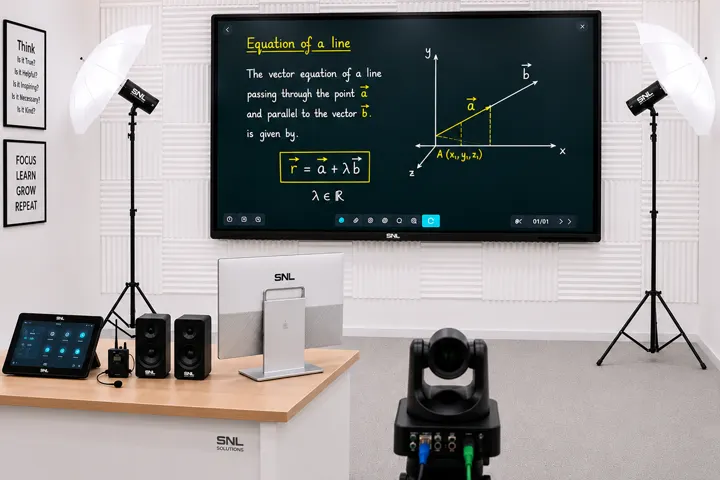
Hybrid Studio setup for simultaneous offline and online teaching in one room.
View full details →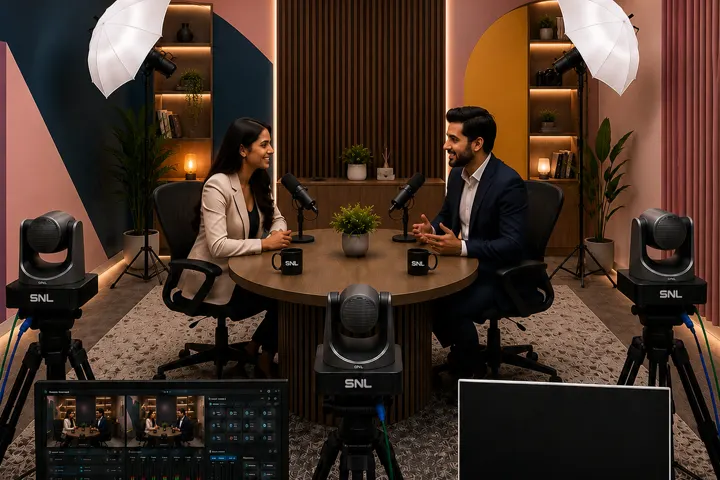
Podcast Studio setup for professional audio & video podcast recording.
View full details →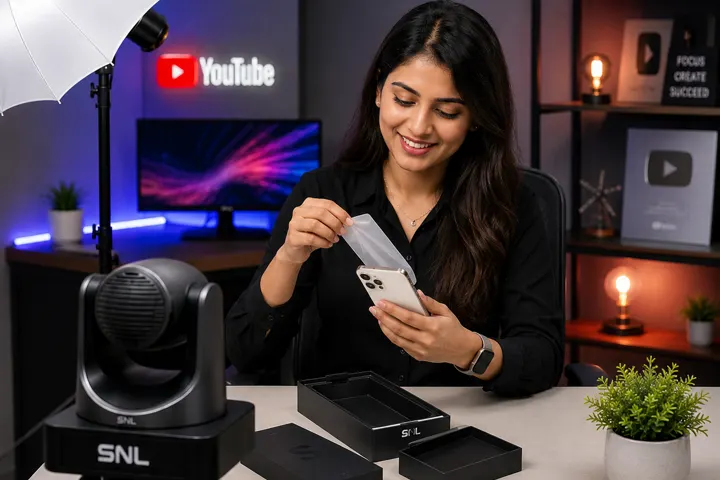
YouTube Studio setup for video and digital content creation.
View full details →
Conference Studio setup for meeting and collaboration spaces with video conferencing.
View full details →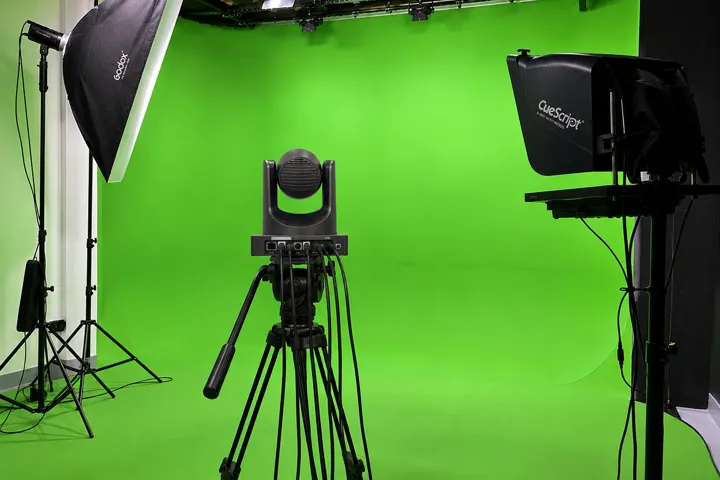
Green Screen Studio Setup — a chroma-key studio for virtual production and live streaming.
View full details →Click below to proceed with the payment:
Pay NowScan with any UPI app to pay: