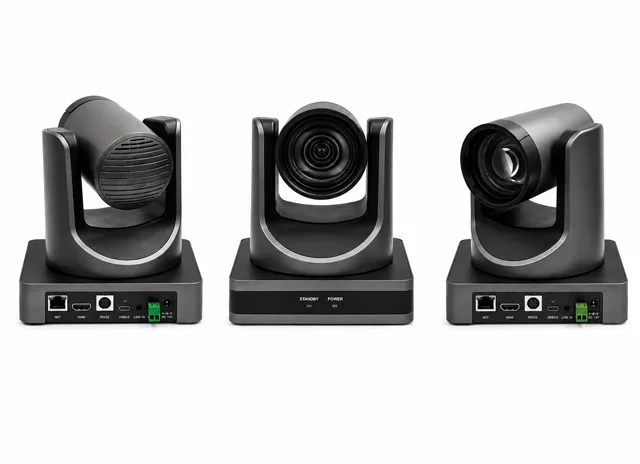
PTZ Camera
4K pan-tilt-zoom camera with smooth motorized movement and remote control, keeping every student in frame for both the in-room class and remote viewers.
Revolutionizing Education for a Brighter Tomorrow
In the modern era of education, hybrid learning environments have become essential. Our Hybrid Class Studio Setup provides a perfect blend of physical and online teaching, ensuring students, whether present in the classroom or joining remotely, have a seamless learning experience. Designed with high-end technology, this setup caters to educators, trainers, and institutions looking to enhance engagement and interactivity in a hybrid format.
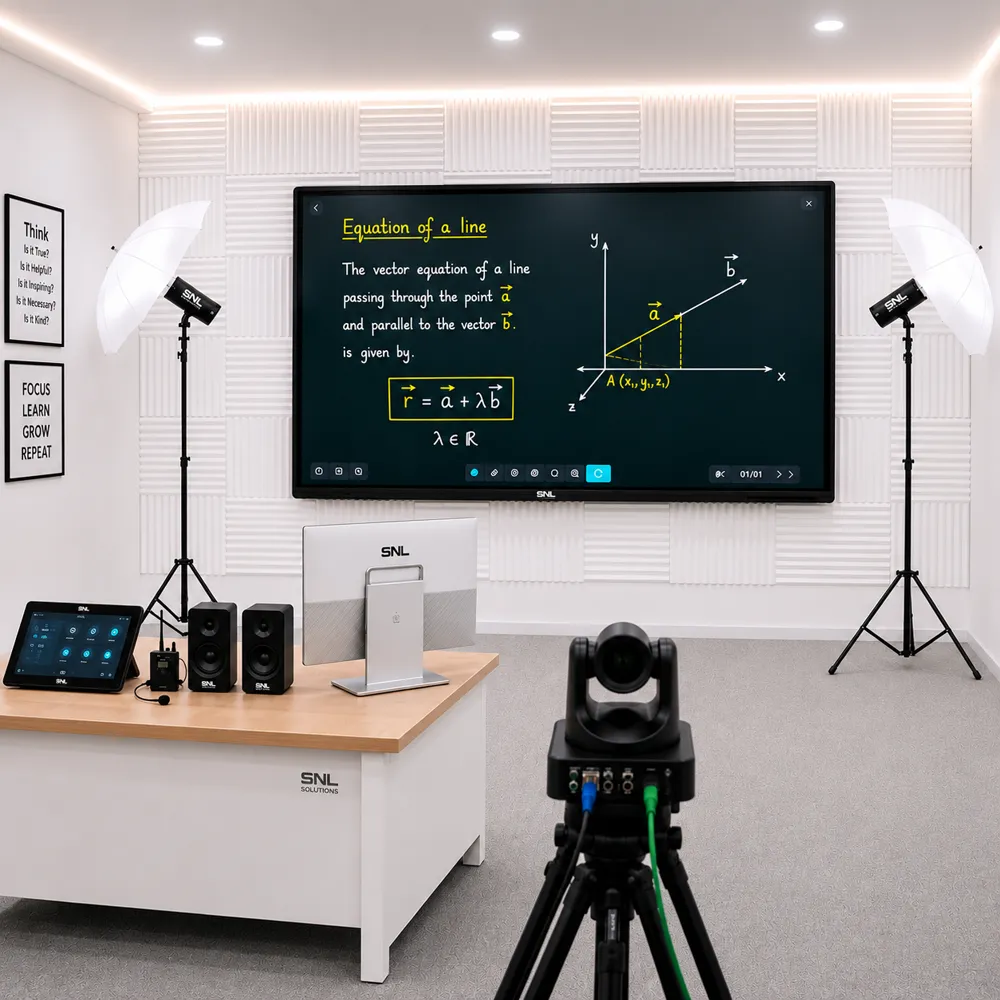
In the modern era of education, hybrid learning environments have become essential. Our Hybrid Class Studio Setup provides a perfect blend of physical and online teaching, ensuring students, whether present in the classroom or joining remotely, have a seamless learning experience. Designed with high-end technology, this setup caters to educators, trainers, and institutions looking to enhance engagement and interactivity in a hybrid format. Every live class can also be recorded automatically, so sessions stay available for later review or asynchronous learning.
A Hybrid Studio setup is a complete physical-and-digital teaching environment built around an interactive flat panel, high-resolution PTZ camera, and digital podium, engineered so in-person and remote students get an equally engaging session from the same room. It combines display, camera, podium, dual-screen monitoring, and streaming software into one ready-to-use kit — letting any classroom or training room run offline and online sessions simultaneously without separate equipment for each.
The setup serves colleges and universities running blended-learning courses, corporate training rooms and government training centres delivering sessions to distributed teams, and coaching centres that want to reach both in-seat and remote students from a single lecture. Its dual-screen, dual-camera design also suits seminar and webinar rooms handling live and remote audiences together.
Key advantages include a seamless experience for students whether physically present or joining remotely, flexible dual-screen monitoring for the presenter, and compatibility with the video conferencing tools your organisation already uses. The setup is reliable and scalable to future technological demands, and every installation carries a 1-year warranty extendable to three years with ongoing support.
The Hybrid Studio Setup includes these accessories, chosen so remote and in-person students get the same lesson: a classroom PTZ camera and audio that cover the whole room, a secondary monitor for the online class, acoustic wall panelling, and a one-touch control panel that runs the whole hybrid learning setup.
4K pan-tilt-zoom camera with smooth motorized movement and remote control, keeping every student in frame for both the in-room class and remote viewers.
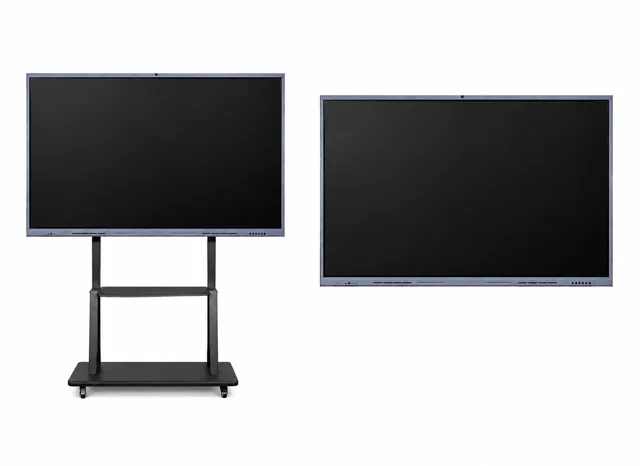
65″–86″ Windows 11 interactive flat panel mounted on a mobile trolley stand, so the display rolls between rooms and sets up wherever the class needs it.
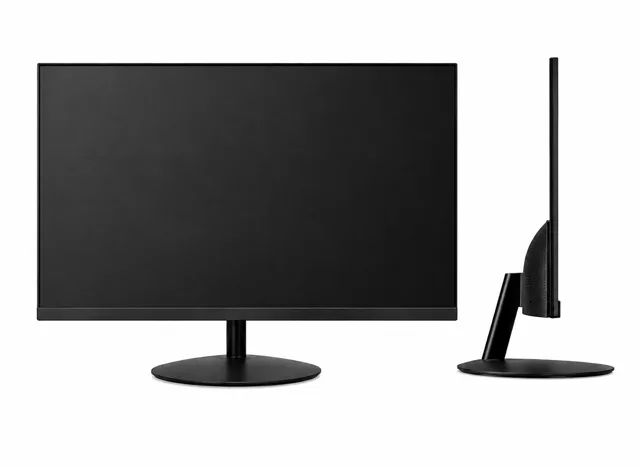
Secondary FHD display at the instructor's desk for managing content and keeping track of remote student participation without turning away from the class.
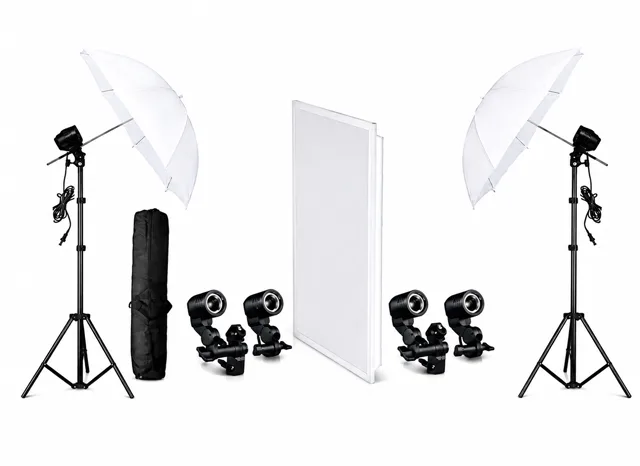
Adjustable LED lighting rig delivering even, shadow-free illumination across the teaching area for clear, well-lit video capture in every session.
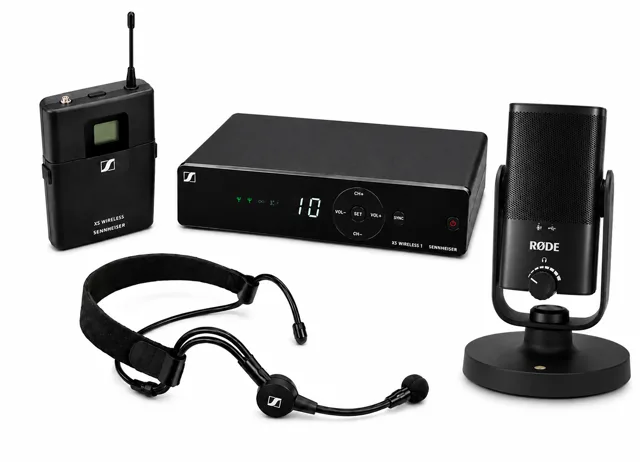
Sennheiser or DGtech microphone system with noise cancellation, capturing clear, room-filling audio for both in-person and remote listeners.
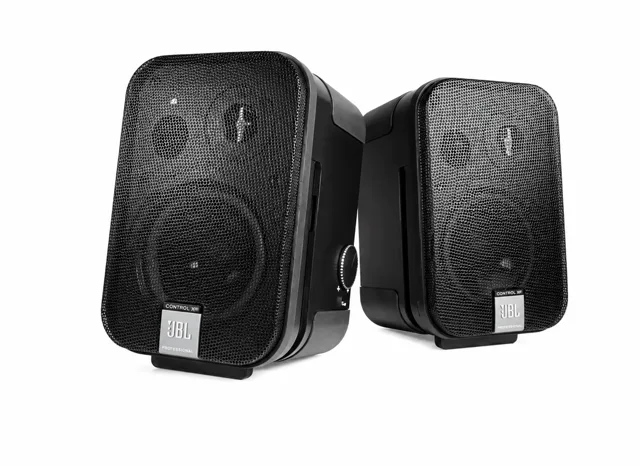
Ceiling or wall-mounted speaker system delivering clear, even audio coverage across the room, so both in-person and remote participants hear every session clearly.
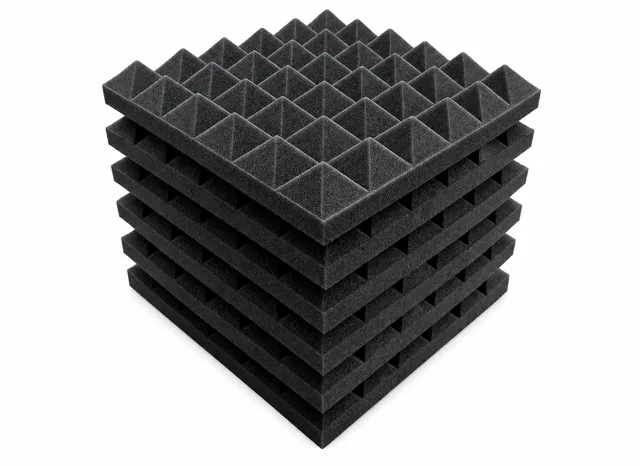
Acoustic wall panelling that reduces echo and outside noise, keeping room audio clean for both the in-room class and remote participants joining the session.
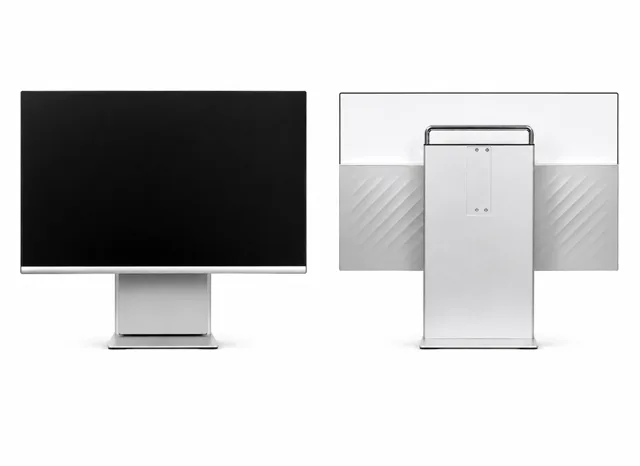
All-in-one touchscreen control panel that manages the camera, lighting, and streaming presets with a single tap, so the presenter never has to leave the podium to switch modes.
Boost interaction with digital tools and real-time participation.
Deliver lectures effortlessly to students both physically present and remotely connected.
Suitable for educational institutions, corporate training, seminars, and webinars.
Easily adapt the setup to meet future technological and institutional demands.
Stream every class in real time and record it automatically for later review or asynchronous learning.
Rooms fitted in 4–6 days, backed by a 1-year warranty extendable to three, with AMC and on-site service.
Hybrid Studios are widely used across colleges, universities, corporate training rooms, government offices, and coaching centres — anywhere in-person and remote audiences need the same live, interactive session.
From first call to a fully running hybrid room
We assess your space and requirements
We design the right setup for your workflow
We select and deliver the right gear
Cabling, setup, and software configuration
Your team learns to operate the studio
AMC, remote assistance, on-site service
Engage students with crystal-clear visuals and responsive touch capabilities using a Windows 11-powered interactive panel.
Ensure every student, whether remote or in the classroom, sees the lecture in detail with an adjustable PTZ camera that offers smooth panning, tilting, and zooming functions.
Present with ease using our integrated digital podium, complete with microphone connectivity and ergonomic design for a seamless teaching experience.
Equip your hybrid classroom with both primary and secondary displays to manage presentations and monitor student participation simultaneously.
Compact, modern furniture ensures maximum comfort, providing students with an ideal physical learning environment.
Enhance your lectures with the ability to stream classes in real-time and record them for future reference or asynchronous learning.
Specific questions about Hybrid Studio setup, hybrid classroom installation, and dual-camera teaching rooms. Can't find an answer? Reach out to our team directly.
A Hybrid Studio setup goes beyond a smart classroom by adding a high-resolution PTZ camera, a secondary monitor, and room-covering audio so remote and in-person students get equal attention in the same live session. Unlike a standard smart classroom built only for the in-room audience, this hybrid classroom setup is engineered from the ground up for simultaneous offline and online teaching.
The Hybrid Studio setup is configured to work with the video conferencing platform your institution already uses, including Zoom, Google Meet, and Microsoft Teams, so there's no proprietary software lock-in. Our team handles the integration during installation, matching camera and audio routing to your existing hybrid learning studio workflow.
Yes — the PTZ camera automatically tracks the presenter as they move, while a second wide-angle camera holds a steady shot of the full room for remote viewers. This dual-camera classroom design means the teacher isn't tied to a fixed spot behind the digital podium to stay in frame.
A typical Hybrid Studio setup installation takes 4–6 days, depending on room size, seating capacity, and existing electrical and network wiring. We've installed 120+ hybrid teaching rooms across India, supporting anywhere from 40 to 100 seats per room.
Every Hybrid Studio setup carries a 1-year warranty, extendable to three years, backed by an AMC covering remote diagnostics and on-site service across our pan-India network. This keeps the interactive flat panel, PTZ camera, podium, and audio system running through the life of the room.
Hybrid Studio setup cost depends on room size, seating capacity, and the equipment tier you choose — from the interactive flat panel and PTZ camera to the digital podium and audio system. We provide a custom quote after a free site survey, so you only pay for what your hybrid classroom setup actually needs.
A Hybrid Studio setup is designed to support 40–100 seats per room, scaling from a standard classroom to a large lecture hall. Camera placement, display size, and audio coverage are adjusted during the site survey to match your room's dimensions.
Yes — the Hybrid Studio setup includes live streaming and automatic recording, so every session is available in real time for remote students and saved afterward for asynchronous learning or review. Recordings are captured alongside the live stream with no extra step for the presenter.
A hybrid classroom is one room where some students sit in the class and others join online, all in the same live lesson from one teacher. A Hybrid Studio setup is built for exactly that: a PTZ camera that tracks the teacher, a second wide-angle camera for the full room, room-covering audio, and a secondary monitor for keeping an eye on remote participants, so remote and in-person students get equal attention.
A hybrid learning setup needs an interactive flat panel to teach on, a classroom PTZ camera with room-covering audio, a secondary monitor and lighting so remote students see a clear picture, acoustic wall panelling to keep echo out of the sound, and a touchscreen control panel that runs the camera, lighting and streaming with one tap. The Hybrid Studio includes all of these accessories, listed above, and connects to the video platform your institution already uses.
Yes. The setup live-streams every session to remote students and records it automatically alongside, so classes are available in real time and afterwards for revision. It works with Zoom, Google Meet and Microsoft Teams, so live streaming for education runs on the tools your teachers already know.
A laptop on a video call gives remote students one fixed view and whatever the laptop’s microphone hears. A hybrid classroom solution adds a camera that follows the teacher, a wide shot of the room, microphones and speakers that cover every seat, and one-touch control, so remote students see and hear the lesson properly and the teacher does not have to manage the technology.
A room set up to teach students in the classroom and students online at the same time, in one live session, with a camera, room audio and a second screen so remote learners are seen and heard as well as the room.
Colleges and universities running blended courses, corporate training rooms, government training centres delivering to distributed teams, coaching centres reaching in-seat and remote students, and seminar and webinar rooms.
A PTZ camera, an interactive flat panel and trolley, a secondary monitor, lighting, a microphone system, speakers, acoustic wall panelling and an All-in-One PC touch control panel, installed, configured and supported by SNL.
The lecture in detail from the PTZ camera and the room audio from the microphones, so they get the same session as the students in the room.
Hybrid teaching delivers one live session to people in the room and online together. Blended learning mixes online and in-person study over a course, not necessarily in the same session. A Hybrid Studio supports the first and can record for the second.
An integrated podium for the presenter, with microphone connectivity and an ergonomic design, so the teacher controls the session from one place.
Yes. Every live class can be recorded automatically, so sessions stay available for later review by anyone who could not attend.
The page lists 40 to 100 seats per room, confirmed against your actual room in the site survey.
Its position is set in the survey so remote viewers see the teacher and the board and the room is covered without anyone being blocked.
The Hybrid Studio includes acoustic wall panelling that reduces echo and outside noise, which matters for remote participants hearing the session cleanly.
A stable connection near the control PC and panel. The survey checks the existing network and wiring; SNL does not state a minimum bandwidth on the page, so ask the team for advice for your session size.
Even, shadow-free light across the teaching area so the video that remote students see is clear. The kit includes an adjustable LED rig.
Yes. It is designed to go into existing classrooms and training rooms, with compact, modern furniture for the in-room students. The survey confirms the layout.
Yes. It sits on a mobile trolley stand, so the display rolls between rooms and sets up wherever the class needs it.
A 4K pan-tilt-zoom camera with smooth motorised movement and remote control, keeping the teacher and the room in frame for remote viewers and the in-room class.
A 65 to 86 inch interactive flat panel on a mobile trolley. The studio pages describe it as Windows 11; the SNL Interactive Flat Panel datasheet lists Android 14 with an optional OPS module for Windows, so confirm the configuration at the survey.
A Full HD display at the instructor’s desk for managing content and watching remote participation without turning away from the class.
A Sennheiser or DGtech noise-cancelling microphone system that captures clear, room-filling audio for in-person and remote listeners.
Ceiling or wall-mounted speakers that cover the room evenly, so everyone in the room and every remote participant hears the session clearly.
It reduces echo and outside noise, keeping room audio clean for both the in-room class and remote participants.
It manages the camera, lighting and streaming presets with a single tap, so the presenter never leaves the podium to switch modes. See the SNL All-in-One PC page for its specification.
The page describes the PTZ camera tracking the presenter, but the SNL PTZ Camera specification sheet lists pan, tilt, zoom and 255 presets rather than auto-tracking. Confirm what your configuration includes at the site survey.
Yes. It is configured to work with the platform your institution already uses, and SNL handles the integration during installation.
Yes. The control panel manages the camera, lighting and streaming presets with a single tap.
Yes. Every live class can be recorded automatically for later review or asynchronous learning.
The Studio Setup page says studio sessions can stream live to YouTube, Facebook or Twitch as well as through conferencing platforms.
The secondary monitor shows remote participation while the main panel stays free for the class, so the presenter can see both.
Echo is reduced by the acoustic wall panelling and the way the microphones and speakers are placed. Ask the team how your platform’s echo handling works with the room audio at the survey.
The Studio Setup page says recordings can be sent to your LMS or cloud storage.
For blended-learning courses where some students sit in the lecture and others join online, with the lecture recorded for later.
For training sessions delivered to people in the room and in other offices at once, in the same session.
To deliver sessions to distributed teams without everyone travelling, with the same live, interactive experience for those present and remote.
To teach in-seat and remote students from a single lecture and keep the recording for revision.
Yes. The page says the dual-screen design also suits seminar and webinar rooms handling live and remote audiences together.
Site survey, solution design, equipment supply, installation (cabling, setup and software configuration), training and demo, and ongoing support.
Your space and requirements: the room, seating, the network and power, so the design suits the room. The survey is free.
The page gives a typical 4 to 6 days, depending on room size, seating and existing wiring.
Yes. The process includes a Training & Demo step so your team can run the room.
Tell SNL about your room, and the team schedules a site survey.
Choose a Smart Class Studio to teach in the room and record the lecture. Choose a Hybrid Studio when students in the room and students online must share one live session.
A Conference Studio equips a meeting room for video conferencing. A Hybrid Studio is built around teaching, with an interactive panel, a digital podium and room audio for a classroom.
A laptop webcam sees one fixed view and one nearby voice. A Hybrid Studio adds a PTZ camera, room-covering microphones and speakers and acoustic treatment, so remote students see and hear the whole lesson.
The two share the panel, camera, microphones, speakers and control panel; a Hybrid Studio adds the secondary monitor and acoustic wall panelling. Ask the team about upgrading an existing room.
Room size, seating capacity and the existing electrical and network wiring. SNL quotes after the free site survey.
Yes. Tell SNL how many rooms and where, and the team will quote the whole rollout.
The page states a 1-year warranty extendable to three years, with ongoing support. Ask the team for the terms in writing.
AMC, remote diagnostics and on-site service through SNL’s support network, as the studio process lists.
Customer support on +91-89270 89270 or +91-84439 84439, or [email protected].
No questions found. Try a different search term or category.
Tell us about your room — we'll schedule a site survey.
One partner, every environment — explore the other studios SNL designs and installs.
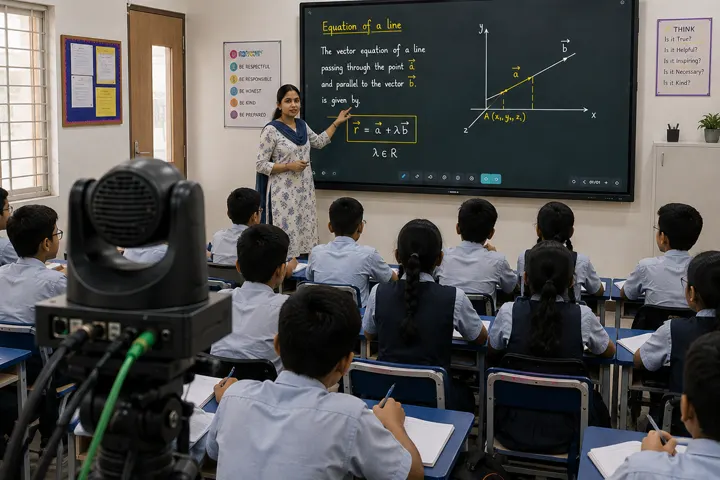
A Smart Class Studio setup for interactive teaching and automatic lecture recording in schools and colleges.
View full details →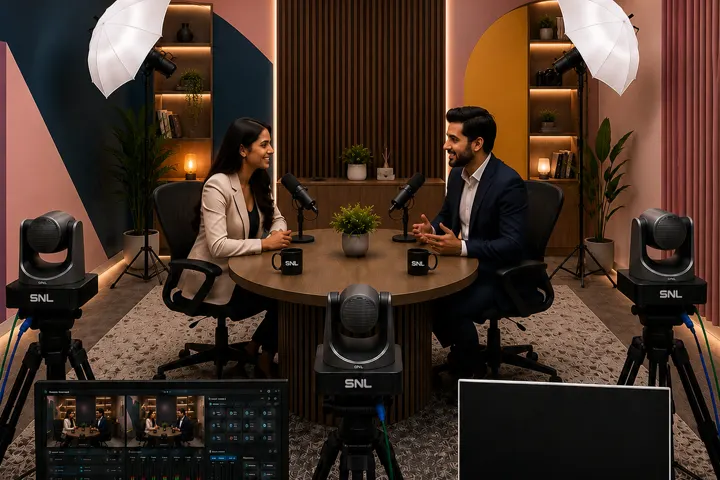
Podcast Studio setup for professional audio & video podcast recording.
View full details →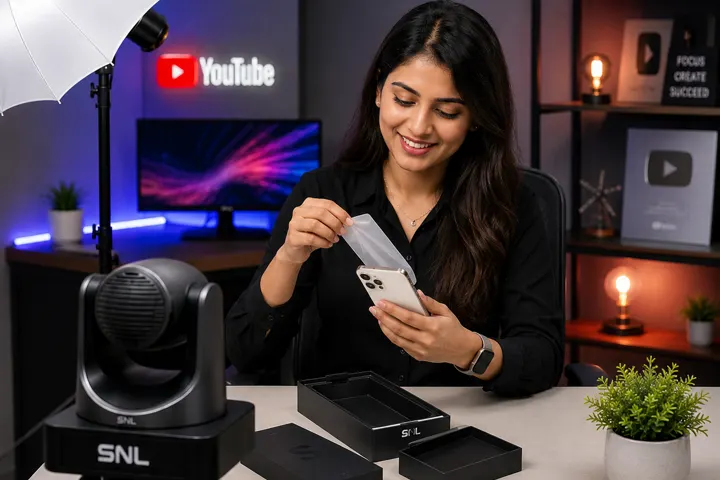
YouTube Studio setup for video and digital content creation.
View full details →
Conference Studio setup for meeting and collaboration spaces with video conferencing.
View full details →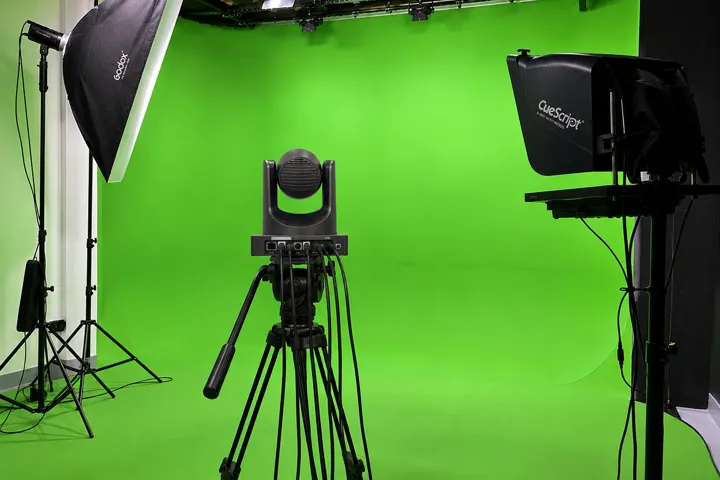
Green Screen Studio Setup — a chroma-key studio for virtual production and live streaming.
View full details →Click below to proceed with the payment:
Pay NowScan with any UPI app to pay: