Revolutionizing Education for a Brighter Tomorrow

Studio Setup Solution

Green Screen Studio Setup

A green screen studio setup is a chroma-key production environment — built around a wrinkle-free green backdrop, adjustable studio lighting, and a 4K PTZ camera — that replaces the physical background with any virtual scene in real time using tools like OBS and Zoom. Educators, creators, and businesses use it for live streaming, virtual classes, and content creation, with SNL Solutions installing, configuring, and supporting every setup end to end, pan-India.

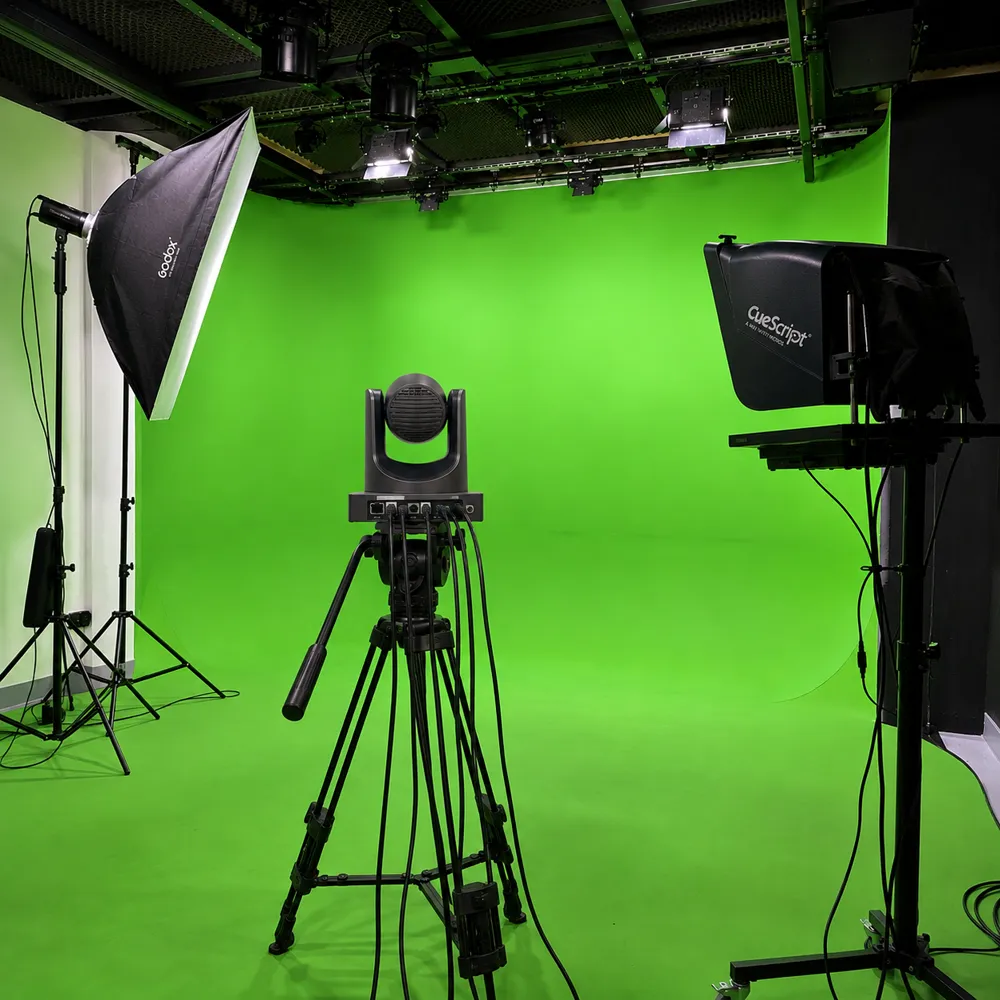
Presenter standing in front of a green screen backdrop with studio lighting and an overhead PTZ camera
About this studio

About the Green Screen Studio Setup

A Green Screen Studio Setup pairs a wrinkle-free green backdrop with even studio lighting and a 4K PTZ camera, giving any room instant chroma-key capability — swapping the physical background for a virtual set, branded scene, or CGI effect in real time. SNL Solutions has installed and calibrated this setup in 45+ studios for media houses, corporate teams, schools, and content creators who need broadcast-ready visuals for live streaming, lecture recording, or video conferencing, without building a dedicated studio room from scratch.

  • 4K PTZ Camera
  • Green Chroma Backdrop
  • Studio LED Lighting
  • Touch Control Panel
  • Streaming Software Suite
  • Interactive Flat Panel
  • Tripod

What It Is

A green screen studio setup is a complete virtual production environment built around a professional chroma-key green screen, engineered for polished virtual backgrounds, CGI effects, and branded scenes. It combines a wrinkle-free backdrop, adjustable studio lighting, a 4K PTZ camera, and an intuitive control panel into one ready-to-use kit — giving anyone from a solo creator to a full production team the tools to produce broadcast-quality video without building a studio from scratch.

Industries

The setup serves media and broadcast houses producing news or entertainment segments, corporate teams running virtual events, townhalls, and corporate training sessions, and schools and colleges recording lessons with visual aids for hybrid learning. Independent creators use it for YouTube and social content, while its flexibility also suits real estate virtual tours, e-commerce product demos, and any business that regularly publishes video content.

Advantages

Key advantages include broadcast-ready image quality, fast session setup with saved presets, and compatibility with the streaming and conferencing tools teams already use — OBS, Zoom, vMix, and Google Meet. The modular components can be upgraded independently, and the compact footprint turns an existing office, classroom, or spare room into a dedicated green screen room without major renovation.

  • 45+Studios fitted
  • 3–5 daysTypical install
  • 1–3Presenters per session
Accessories

Green Screen Studio Setup — Accessories & Equipment

The Green Screen Studio Setup includes everything from the chroma-key backdrop and lighting to the 4K PTZ camera, audio mixer and touch control panel, so a green screen broadcast studio is ready to key, record and stream as soon as it is installed.

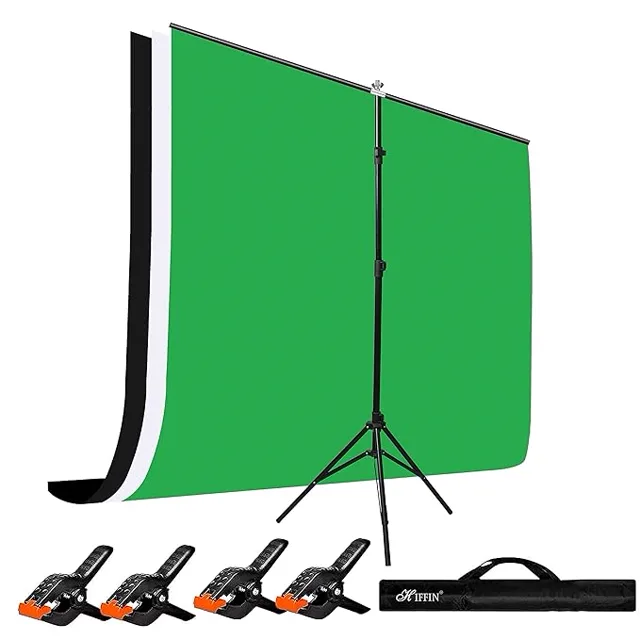
Green chroma background, wall + floor

Green Chroma

Wrinkle-free, non-reflective green chroma-key backdrop built for clean, spill-free background replacement in any green screen studio setup.

Type
High-quality wrinkle-free green screen
Size
Large format (7ft × 10ft or customizable)
Material
Non-reflective matte finish cloth or muslin
Mounting
Portable stand with adjustable height
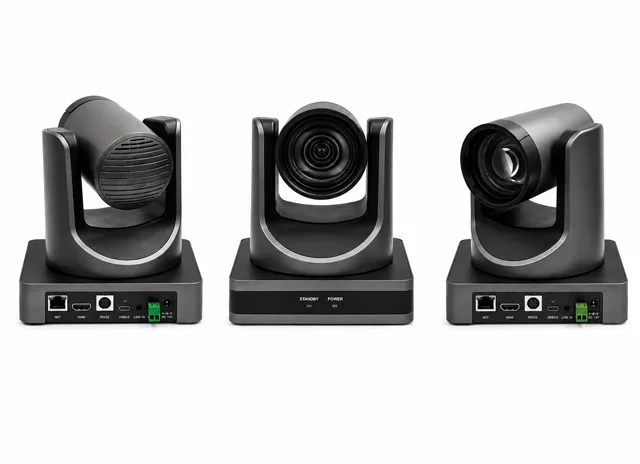
4K PTZ camera, close-up

PTZ Camera

Broadcast-grade 4K pan-tilt-zoom camera with auto-tracking for sharp, professional footage across every green screen recording and live stream.

Resolution
UHD 4K (3840×2160) @30fps
PTZ Functions
Motorized Pan, Tilt, and Zoom
Zoom
12x or 20x optical zoom
Auto-Tracking
Yes, with face & movement tracking
Outputs
HDMI, USB, and LAN (RTMP, RTSP supported)
All-in-one touch control panel with streaming software suite

All in One PC

Centralized touchscreen control panel with preloaded streaming software for one-touch lighting, camera, and chroma-key management.

Control Screen
10.1" capacitive touchscreen
Functions
Lighting, camera & scene control with saved presets
Connectivity
USB, Wi-Fi, LAN
Preloaded Software
OBS Studio, vMix, Zoom, Google Meet
Streaming & Chroma
Real-time chroma-key replacement, live to YouTube, Facebook & Twitch, optional cloud storage
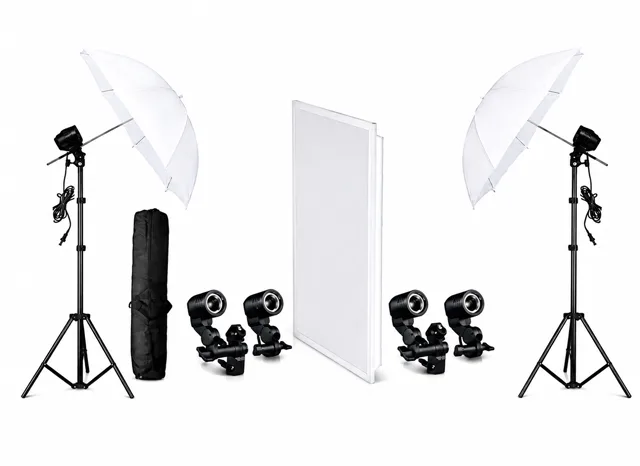
Softbox LED lighting rig

Lights

Adjustable bi-color LED softbox lighting rig delivering even, shadow-free illumination across the entire green screen backdrop.

Type
Softbox LED + Fill Light Combo
Brightness
Adjustable 10% to 100%
Color Temperature
3200K – 5600K (bi-color)
Stand Height
Up to 6.5 ft adjustable aluminum tripod
Power Supply
AC or USB (depending on model)
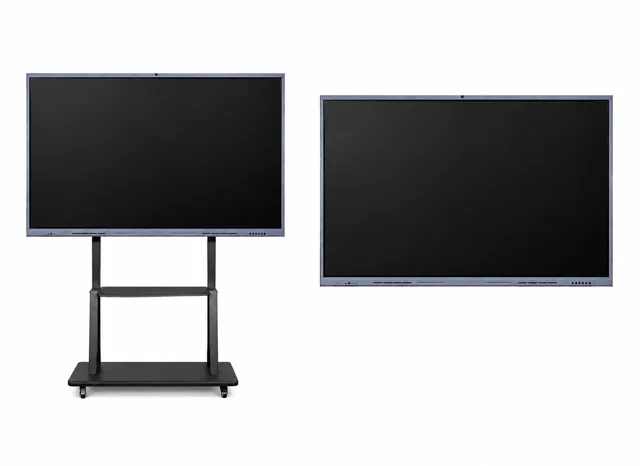
Interactive flat panel mounted beside the green screen backdrop

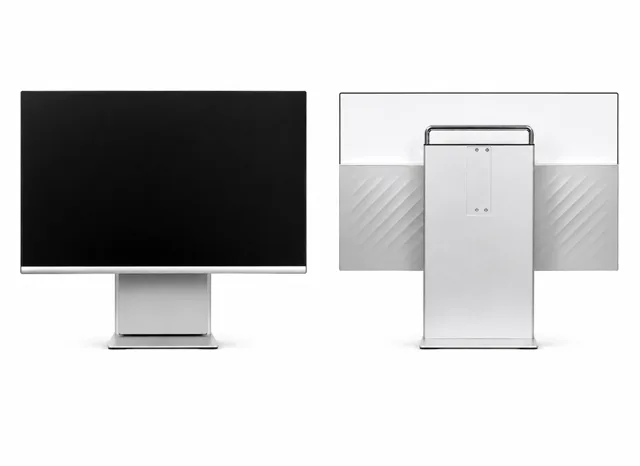
Interactive Flat Panel

Large-format touch display beside the green screen backdrop for presenters to reference notes, annotate slides, or monitor the live chroma-key feed without stepping out of frame.

Size
65″–86″ (room-dependent)
Display
4K UHD touchscreen, Windows 11 pre-installed
Touch
Multi-point capacitive touch
Mounting
Wall-mount or mobile trolley stand
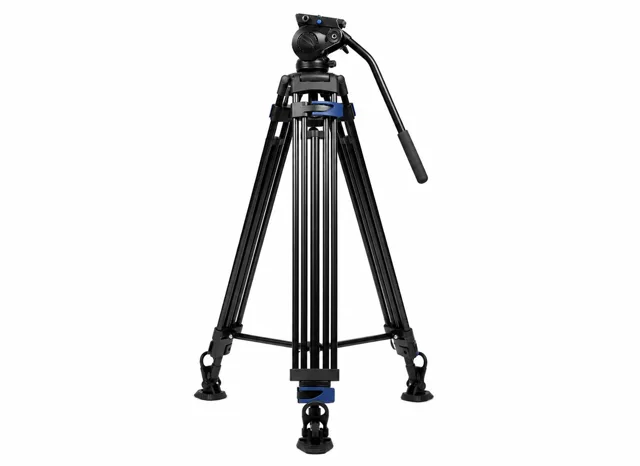
PTZ camera mounted on a studio tripod

Tripod

Heavy-duty adjustable tripod that keeps the PTZ camera steady and level for every recording and live session.

Type
Heavy-duty aluminum/steel tripod
Height
Adjustable up to 6 ft
Load Capacity
Supports PTZ camera + accessories
Base
Wide-stance stable base with leveling
Sanhizer XME3 audio mixer/interface

Sanhizer XME3

Compact audio mixer and interface delivering clean, noise-free presenter audio with independent channel control for every green screen recording and live stream.

Benefits

Benefits of the Green Screen Studio Setup

Broadcast-Ready Chroma Background

Smooth, wrinkle-free, non-reflective green backdrop with room for full-body and multi-angle shots.

Shadow-Free Studio Lighting

Adjustable LED and softbox lighting with multi-directional setup for even, uniform illumination.

4K PTZ Camera Coverage

Crisp 4K capture with pan-tilt-zoom and auto-tracking to keep every shot sharp and centered.

Live Streaming & Recording

Real-time background replacement with OBS and Zoom, plus multi-platform streaming to YouTube, Facebook, and Twitch.

Boosts On-Camera Credibility

Professional video quality and virtual effects that elevate video conferencing, webinars, and training sessions.

Pan-India Installation & Support

End-to-end setup in 3–5 days, backed by a 1-year warranty and AMC with remote diagnostics and on-site service.

Ideal use cases

Ideal Use Cases for a Green Screen Studio

Green Screen Studios are widely used across education, corporate training, media production, online learning, and digital marketing — anywhere professional-quality video content and virtual backgrounds are essential.

  • News Room
  • Product Marketing
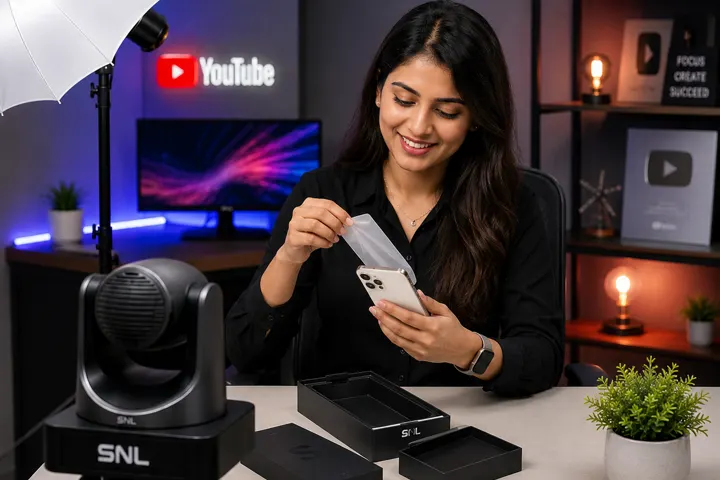
  • Product Review
  • YouTube
How it works

Our installation process

From first call to a fully running green screen studio

  1. Site Survey

    We assess your space and requirements

  2. Solution Design

    We design the right setup for your workflow

  3. Equipment Supply

    We select and deliver the right gear

  4. Installation

    Cabling, setup, and software configuration

  5. Training & Demo

    Your team learns to operate the studio

  6. Ongoing Support

    AMC, remote assistance, on-site service

Features

Features of the Green Screen Studio Setup

  1. Green Chroma Background

    A wrinkle-free, non-reflective green backdrop covering wall and floor, sized for full-body and multi-angle shots so the key stays clean however the presenter moves.

  2. 4K PTZ Camera

    A 4K pan-tilt-zoom camera with face and movement auto-tracking keeps every shot sharp and centred, with 12x or 20x optical zoom and HDMI, USB, and LAN outputs.

  3. Studio LED & Softbox Lighting

    An adjustable bi-colour LED and softbox rig lights the backdrop evenly and separately from the presenter, which is what eliminates the shadows and green spill that ruin a chroma key.

  4. Interactive Flat Panel

    A large-format touch display beside the backdrop lets presenters reference notes, annotate slides, or monitor the live chroma-key feed without stepping out of frame.

  5. Touch Control Panel & Software Suite

    A 10.1" touchscreen console with OBS Studio, vMix, Zoom, and Google Meet preloaded drives lighting, camera, and scene presets, with real-time chroma replacement on a single tap.

  6. Live Streaming & Full Installation

    Stream live to YouTube, Facebook, and Twitch with optional cloud storage — delivered with a camera tripod stand, network and device configuration, on-site installation, operator training, a 1-year warranty, and AMC with priority on-site service.

FAQ

Green Screen Studio FAQs

Specific questions about Green Screen Studio. Can't find an answer? Reach out to our team directly.

Browse by Category

Can't find what you're looking for? Talk to our experts

Most builds work in 20–45 m², with enough distance between presenter and backdrop to avoid shadows and spill.

Yes — the camera and lighting are calibrated to work with chroma-key and virtual-set tools such as OBS, vMix, and Zoom, so the backdrop can be swapped for a branded set, CGI scene, or virtual background without re-shooting.

Even LED lighting on the backdrop runs on its own bi-colour (3200K–5600K) circuit, kept separate from the presenter's key and fill lights — that separation is what stops the green from bouncing onto skin and clothing, which is what causes spill.

Typically 3–5 days including backdrop, lighting rig, and camera setup.

Every installation carries a 1-year warranty plus AMC options for remote diagnostics and on-site service.

A green screen studio setup is a video production space built around a chroma-key backdrop, so software can swap the background for any image, video, or virtual set in real time. It pairs a seamless, non-reflective green screen with even LED and softbox lighting to prevent shadows and spill, a 4K PTZ camera for sharp, well-framed capture, and chroma-key software such as OBS or vMix that removes the green instantly during recording or live streaming. The result is one room that can double as a newsroom, virtual classroom, or branded studio without repainting or rebuilding for every shoot.

Both use chroma-key technology, but green is the standard choice for most studios because camera sensors are more sensitive to green, which produces a cleaner key with less noise, and green doesn't clash with skin tones the way blue can. Blue screens are mainly reserved for film and VFX shoots with a lot of green already in frame, such as military or foliage scenes. For presenter-led content, product demos, and virtual classrooms, a properly lit green screen keys cleaner with less correction — which is why SNL Solutions builds every chroma-key studio around green.

Four things need to work together for a clean chroma key: a seamless, non-reflective green backdrop; even LED or softbox lighting kept separate from the presenter's key and fill lights to avoid spill; a 4K camera with enough resolution for accurate keying — a PTZ with auto-tracking removes the need for a dedicated camera operator; and chroma-key software such as OBS, vMix, or a conferencing tool's built-in virtual background. SNL Solutions installs and calibrates all four as one integrated system, so you're not sourcing and matching components separately.

Yes — the same lighting, camera, and chroma-key setup used for recording also works for live sessions. Once the backdrop and lighting are properly calibrated, platforms like Zoom and Google Meet apply real-time background replacement directly on the call, so the studio works equally well for webinars, virtual town halls, and everyday meetings that need a clean, on-brand background instead of a blurred home office.

A basic backdrop and single light can be self-installed, but a broadcast-ready key depends on even lighting with no shadows or hot spots, correct camera distance and exposure, and software calibrated to the exact backdrop and light levels — details that are easy to get wrong without experience. Professional installation removes the trial and error: SNL Solutions surveys the room, positions lighting to eliminate spill and shadow, and configures the camera and software together, so the studio performs correctly from the first session rather than after weeks of adjustment.

Cost depends on room size, camera and lighting tier, and whether features like auto-tracking or multi-camera capture are included. Every Green Screen Studio is scoped to the space and use case — from a compact single-presenter setup to a full production room — so we provide an exact quote after a free site survey rather than a fixed list price, keeping you from over-buying equipment you won't use.

A Green Screen Studio is built specifically for chroma-key production — swapping the physical background for any virtual scene — while SNL's other studios are built around a fixed physical room. A Podcast Studio focuses on multi-host audio and video without background replacement, a YouTube Studio outfits a single creator's desk with green screen available only as an add-on, and a Hybrid Studio blends in-person and remote teaching. Choose a Green Screen Studio when background replacement is the primary need rather than an extra feature.

A green screen broadcast studio is a room built so a live or recorded presenter can be placed in front of any background — a virtual set, a branded scene or CGI graphics — in real time. It needs a wrinkle-free chroma-key backdrop, even lighting on the backdrop and on the presenter separately, a 4K camera, and a control panel running software such as OBS Studio or vMix. SNL’s Green Screen Studio setup includes all of these.

Streaming live from a green screen takes a camera with HDMI, USB or LAN output (RTMP and RTSP are supported), an audio mixer for clean presenter audio, a touchscreen control panel preloaded with OBS Studio, vMix, Zoom and Google Meet, and a connection to YouTube, Facebook or Twitch. All of it is part of the standard build.

Yes. SNL has installed and calibrated this setup for media houses, corporate teams, schools and content creators who need broadcast-ready visuals for live streaming, lecture recording or video content, so an institution can record lectures against a virtual set without booking an outside crew.

A technique that removes one colour, usually green, from the video and replaces it with another picture or video, so the presenter appears in a virtual set, a branded scene or a graphic.

Media and broadcast houses producing news or entertainment segments, corporate teams running virtual events, town halls and training, schools and colleges recording lessons with visual aids, and independent creators.

A wrinkle-free green backdrop covering wall and floor, a 4K PTZ camera, studio LED and softbox lighting, a touch control panel with a streaming software suite, an interactive flat panel, an audio mixer and a tripod, installed and supported by SNL.

A digital background, from a plain colour to a 3D studio, that replaces the green screen in the video so the presenter seems to stand in it.

A background built around your logo, colours and graphics, so every video or webinar looks like it came from the same studio.

No. The page also lists live video calls, webinars, training sessions, real-estate virtual tours and e-commerce product demos.

It covers wall and floor and is sized for full-body and multi-angle shots, so the key stays clean however the presenter moves. The survey sizes it to the room.

Some distance, so the backdrop and the presenter can be lit separately and green light does not spill onto the presenter; the survey sets the distance for your room.

Yes. The page says the compact footprint turns an existing office, classroom or spare room into a dedicated green screen room without major renovation.

A clean key needs the backdrop lit evenly and the presenter lit separately. Shadows and green spill are what ruin a chroma key, which is why the studio lights them independently.

Proper wiring, a power supply and a network connection for streaming and cloud storage. The survey checks them.

A wrinkle-free, non-reflective green chroma-key material covering wall and floor, built for clean, spill-free background replacement.

It captures crisp 4K with pan, tilt and zoom. The page describes tracking and 12x or 20x zoom; the SNL PTZ Camera specification sheet lists 12x (4K model) or 10x (Full HD model) and no auto-tracking, so confirm the camera and its features at the survey.

An adjustable bi-colour LED and softbox rig that lights the backdrop evenly and separately from the presenter.

A large touch display beside the backdrop, so presenters can read notes, annotate slides or watch the live chroma-key feed without stepping out of frame.

A 10.1-inch touchscreen console with OBS Studio, vMix, Zoom and Google Meet preloaded that drives lighting, camera and scene presets and real-time chroma replacement with one tap.

The studio lists a compact audio mixer and interface that delivers clean, noise-free presenter audio with independent channel control.

A heavy-duty adjustable tripod keeps the PTZ camera steady and level for every recording and live session.

Optional cloud storage is listed with the live-streaming feature. Ask the team what is included in your quotation.

Yes. The page says the modular components can be upgraded independently.

The control panel holds lighting, camera and scene presets, so a scene change is one tap rather than a re-rig.

The software removes the green from the camera picture and puts your chosen background in its place as you record or stream.

OBS Studio, vMix, Zoom and Google Meet, according to the page, so the room is ready after installation.

Yes. You can stream to YouTube, Facebook and Twitch with background replacement, or run it through a video call.

The studio works with the streaming and conferencing tools teams already use, including OBS, Zoom, vMix and Google Meet.

Yes. The studio records for editing and publishing as well as streaming live.

Yes. Scene presets are saved on the control panel for one-tap recall.

The one-touch panel is built so regular staff can run a session after training, without a dedicated operator.

Yes. News rooms are the first application the page lists.

Yes. Product marketing and product review videos are listed applications.

Yes. Corporate teams use it for virtual events, town halls and training sessions with branded backgrounds.

Yes. Schools and colleges use it to record lessons with visual aids for hybrid learning.

Yes. The page lists real-estate virtual tours among the uses.

Yes. E-commerce product demos are listed among the uses.

Yes. YouTube is a listed application, and independent creators use it for YouTube and social content.

Yes. Professional video quality and virtual effects elevate video conferencing, webinars and training sessions.

Site survey, solution design, equipment supply, installation (cabling, setup and software configuration), training and demo, and ongoing support.

SNL’s team installs and calibrates the setup on site as part of installation.

Yes. The page lists operator training and a Training & Demo step.

The page gives a typical 3 to 5 days, including setup, calibration and operator training.

A YouTube Studio is a camera-ready set with your own background. A Green Screen Studio adds the full backdrop, lighting and software for virtual sets.

A Smart Class Studio records teaching on an interactive panel in a classroom. A Green Screen Studio produces videos with virtual backgrounds and effects.

Green is far from skin tones and cameras capture it brightly, so it is the common choice for chroma key; the page also answers when a blue screen is used.

A clean key needs the camera, lighting and software working together, which is why SNL supplies them as one installed set. Ask the team about a smaller starting configuration.

The backdrop size, the camera and lighting tier, the room and the software. SNL quotes after the free site survey.

Yes. Tell SNL how many and where, and the team will quote the whole project.

The page lists a 1-year warranty and AMC with priority on-site service. Ask the team for the terms in writing.

Contact SNL support on +91-89270 89270 or +91-84439 84439; the studio is covered by the warranty and AMC with remote diagnostics and on-site service.

Customer support on +91-89270 89270 or +91-84439 84439, or [email protected].

No questions found. Try a different search term or category.

Ready for your Green Screen Studio Setup?

Tell us about your production — we'll schedule a free site survey.

Ready to Experience the Future of Technology?